还有一个回答 都可以试试
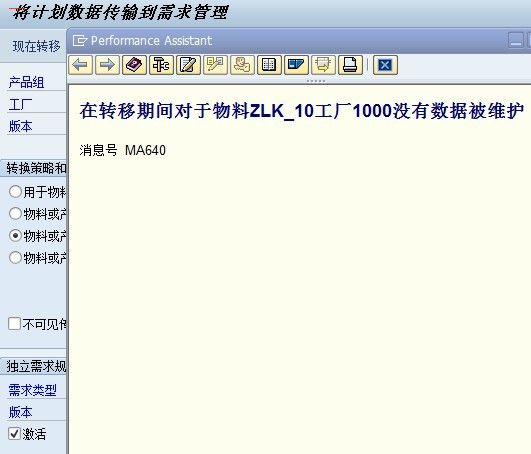
Please select third redio button option transfer plan to PG material mark tick active there and maintain tranfer period from to date. Remove the invisable transfer tick mark put active version and requiremt type LSF or VSF and check.
Else try eith In MC74 or MC75 you have to select the radio button for Production plan for material or PG member then enter the period From take back dated and to period up to your requirement.
Also please refer the OSS Note 319220 - Error MA640 during transfer to demand management
Note 604879 - MC76: Error message MA640 upon demand management transfer
 加载中...



 IP卡
IP卡 狗仔卡
狗仔卡 发表于 2012-10-25 18:01:03
 提升卡
提升卡 置顶卡
置顶卡 沉默卡
沉默卡 喧嚣卡
喧嚣卡 鍙樿壊鍗
鍙樿壊鍗 鏄捐韩鍗
鏄捐韩鍗 发表于 2012-10-25 20:36:06
 楼主
楼主